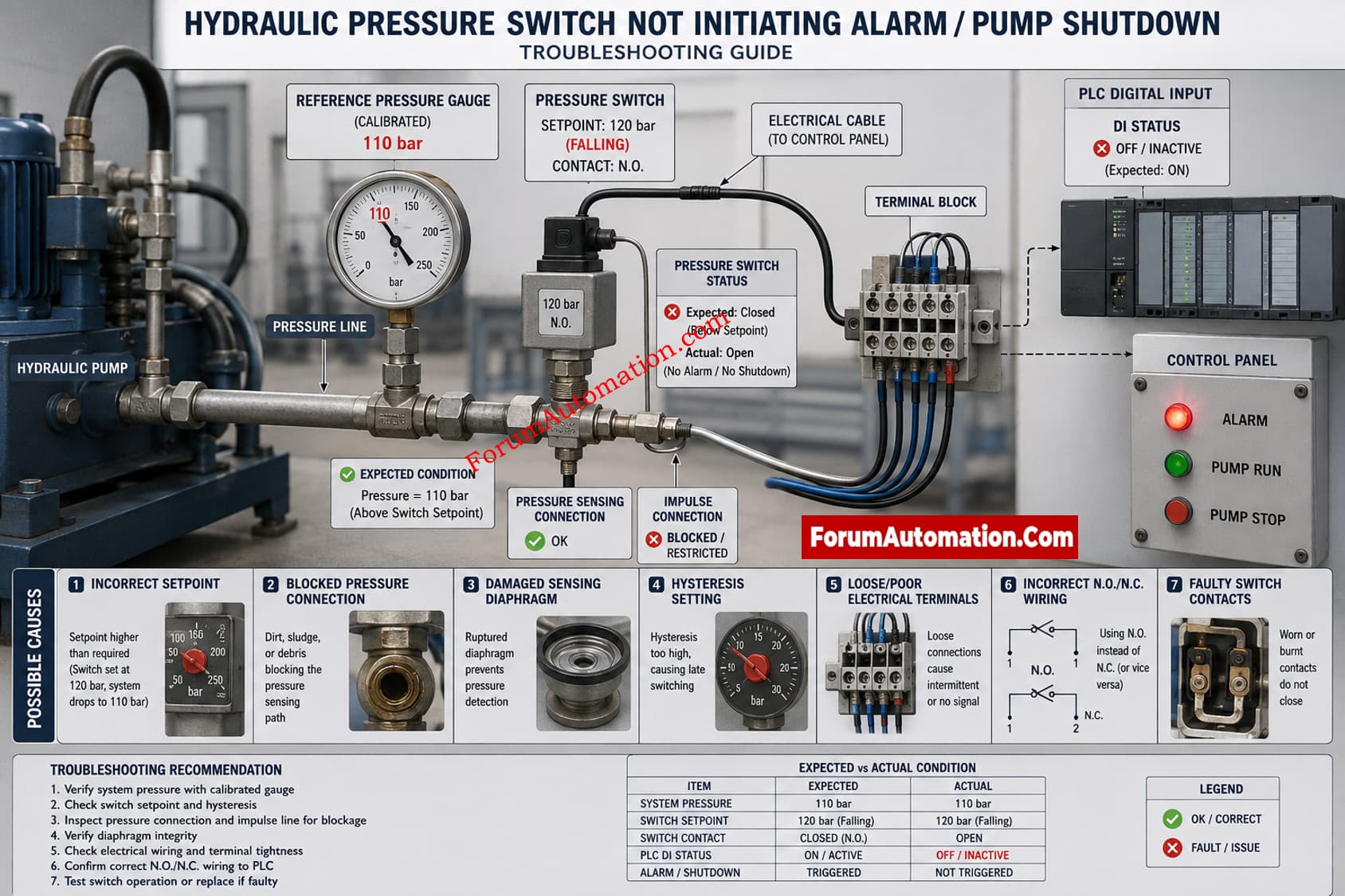
Hydraulic System Pressure Switch Shows Incorrect Pressure Signal During Operation
A hydraulic pressure switch that remains in its normal condition when the system pressure drops below the defined setpoint may have a mechanical, calibration, installation or electrical fault. Since the PLC input is good, debugging should begin at the pressure switch and go toward the control system.
Check actual hydraulic pressure with a calibrated reference pressure gage. Do not depend just on existing pressure indicator. Ensure that the pressure does go up to 110 bar and that the reference gage is correct.
Then, look at the pressure switch setpoint and resetpoint. The switch may be misadjusted or the operational range may not be adjusted to the required trip pressure. Also check to see if the switch has adjustable hysteresis so that the reset and trip points are different.
Check the pressure connection and impulse line for obstruction, contamination, trapped air or mechanical damage. If the connection is partially obstructed, the real hydraulic pressure may not be appropriately transmitted to the sensor element.
Also check the sensor mechanism of the pressure switch for mechanical sticking, diaphragm damage, wear or internal contamination. If the switch has been subjected to pressure exceeding its rating, the sensing element may be damaged or permanently harmed.
Check the mechanical condition and carry out a controlled pressure test, gradually increasing and decreasing the pressure and observing the switch contacts. Compare the actual switching pressure with the given set point.
Finally examine the electrical circuit from the pressure switch contacts to the PLC input, including terminal connections, fuses, relays, cable continuity, contact configuration and usually open or normally closed wiring.
The most probable causes are: Incorrect setpoint adjustment, Clogged pressure connection, Malfunction of sensor device, or Wrong electrical setup.